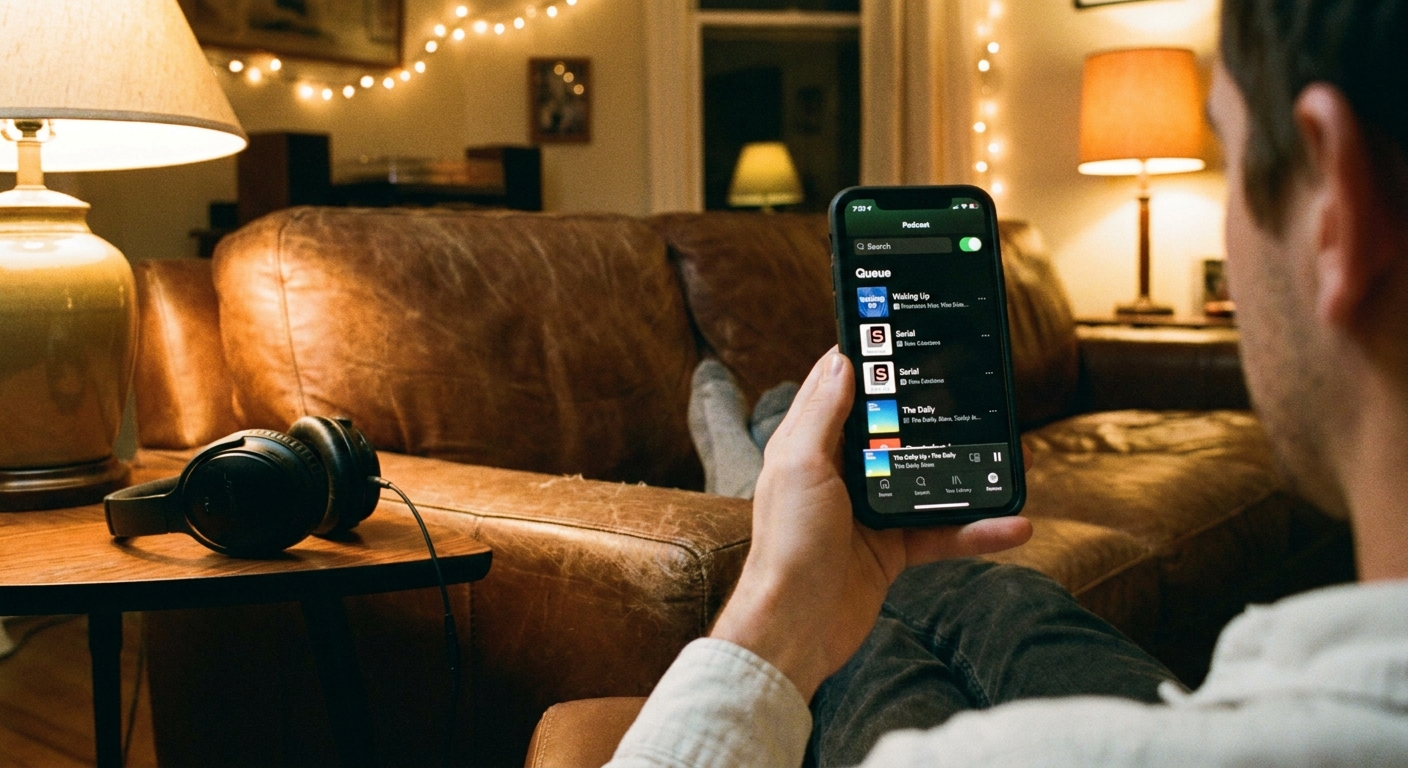
My most-used true crime tool is not a legal pad or a highlighter. It is the “Up Next” queue. When that queue is chaos, my listening is chaos. One minute I’m deep in a careful, victim-centered series , and the next I’m ambushed by a jokey live episode recorded in a noisy bar. No judgment if that is your vibe. I just like to choose my mood on purpose.
This is a simple, repeatable way to organize Apple Podcasts or Spotify so your app feels like a well-run case file: sorted, labeled, and ready when you are.
One small habit that helps: treat “Up Next” like a working desk, not storage. When it gets messy, clear it, reorder it, and rebuild it from your shelves.
Start with your why
Before you build folders and playlists, decide what you actually want your app to do for you. Most true crime listeners I know rotate through three modes:
- Comfort listening: familiar hosts, predictable formats, lower gore, lots of context and resolution.
- Active listening: reporting-heavy episodes, courtroom audio, investigative arcs, notes optional but encouraged.
- Background listening: episodic cases you can dip into while cooking, commuting, or cleaning.
Once you name your modes, you can organize around them. You are not just sorting shows. You are sorting your attention.
Build three shelves
If you only do one thing, do this. It keeps your feed from becoming a grab bag and helps you pick the right show for the moment.
1) Subgenre
Make a short list of the true crime lanes you reach for most. Here are listener-friendly categories that work across apps:
- Cold cases and missing persons
- Investigations and journalism
- Courtroom and legal deep dives
- Cults and coercive control
- Scams, cons, and cybercrime
- Historical true crime
- International cases
- Pop culture and true crime commentary
- Short-form daily briefs
Tip from the archivist part of my brain: keep the list tight. If you make 18 categories, you will use three of them and forget the rest exist.
2) Schedule
This is the underrated one. Sort shows by how they behave in your feed:
- Daily or near-daily (news briefs and headline recaps)
- Weekly dependable (your steady shows)
- Seasonal drops (big narrative seasons that come and go)
- Irregular but worth it (hiatus-friendly favorites)
Why it helps: you stop refreshing for a show that only drops in seasons, and you stop letting daily shows flood your listening time when you wanted a long-form series.
3) Format
This is how you protect a good story from getting scrambled.
- Serialized: one case or theme across episodes, order matters.
- Episodic: each episode stands alone, order optional.
- Hybrid: a mix of one-offs and mini-series.
Apple Podcasts setup
Apple Podcasts is great when you treat it like a library, not a firehose. Here is a setup that stays tidy even when you follow a lot of shows.
Create Stations
Stations are your best friend for true crime. Think of them as custom feeds you control.
Quick note: Apple shifts navigation between iOS and app versions, so the exact path can look a little different on your phone. In many versions, you can create or edit a Station from Library using a More menu (often ...). In other versions, Station options show up inside specific Library views (like Shows) or on a show page.
If you don’t spot Stations right away, try updating the app and then check for ... menus in Library, in Shows, and on individual show pages. If Stations still are not available on your version, you can use Saved episodes and manual “Up Next” ordering to get most of the same benefit.
- Make one Station per subgenre (Cold Cases, Scams, Cults).
- Make one Station per format (Serialized Only, Episodic Only).
- Make one Station for “New Releases I Trust” for your weekly dependable shows.
Pro tip: for serialized Stations, set them to play oldest to newest. For episodic Stations, newest first usually makes more sense.
Use filters and notifications
Two underused tools that keep your listening intentional:
- Filters: Use views like Unplayed and Downloaded to cut through the noise fast when you are choosing what is next.
- Notifications: If the app lets you set alerts per show, turn them on only for your truly must-listen releases. Let everything else arrive quietly.
Tame auto-downloads
If your storage is constantly held hostage by hour-long episodes, adjust downloads with intention:
- Auto-download only your “Weekly dependable” list so your commute is covered.
- Stream everything else, especially daily briefs.
- Set episode limits for chatty shows that drop bonus content often.
Follow, save, download
Apple’s labels and tabs have changed over time (and “Subscribe” used to be the word). So think in terms of intent, not a perfect one-to-one workflow:
- Follow (or Subscribe) = I want new episodes to stay in my orbit.
- Save (or bookmark) = I plan to listen soon.
- Download = I need this offline.
When you separate tracking from listening-soon, your library stays calmer and your queue stays deliberate.
Spotify setup
Spotify is built for playlists, so lean into that. The key is separating shows you follow from episodes you are actively lining up.
Create episode playlists
Instead of only making playlists by show, make them by listening mode. (Most accounts can add individual podcast episodes to playlists, but the exact labels, buttons, and availability can vary by device and version.)
- Serialized Queue (Do Not Shuffle)
- Episodic Grab Bag
- Gentler Listening (lower intensity, more context)
- Casefile Energy (reporting-forward, serious tone)
- Short Commute (20-to-35-minute episodes)
This is perfect for building a binge without committing to an entire feed.
Sort and order on purpose
For a “Do Not Shuffle” playlist to actually behave, make the order visible:
- Manual order for serialized playlists: put episodes in exact sequence and keep it that way.
- Newest-added for grab bags: if your version supports sorting, “newest added” makes it easier to find what you just saved. (Sorting options can differ on iOS, Android, and desktop.)
Use Your Episodes as a staging area
If you tend to save everything, “Your Episodes” can turn into a landfill. Make it a staging area instead:
- Save episodes you want to consider this week.
- Move the best ones into a playlist that matches your mood.
- Unsave as soon as you listen so the list stays small.
Control autoplay
Autoplay is how you go from a sensitive investigative episode to a random back-catalog surprise. If that whiplash is not for you, look in Settings for autoplay or continuous play controls for podcasts (Spotify moves these around sometimes), or keep a reliable playlist ready so you decide what is next.

Binge serialized seasons
Serialized shows are where organization matters most because order is part of the storytelling. Here is the system I use when I am about to start a season:
Step 1: Make a season stack
- Apple Podcasts: add the show to a Station called “Currently Binging” and set it to oldest to newest (or replicate this by saving episodes in order and keeping “Up Next” clean).
- Spotify: make a playlist titled with the show and season, then add episodes in order.
Step 2: Add a buffer
Add a buffer of 2 to 3 episodes. This prevents the classic problem: you finish an episode on a cliffhanger and realize the next one is not downloaded, not saved, and you are about to walk into a subway tunnel.
Step 3: Keep a pause point note
If you bounce between series, write a one-line note in your phone like: “Stopped after Episode 5, the hearing episode.” It sounds small, but it saves you from relistening to 40 minutes just to remember where you were.
Curate episodic listening
Episodic shows are easier to queue, but they can blend together. A little structure makes them feel more satisfying.
Use rotation rules
If your queue is all one subgenre, your brain will start to skim. Try a simple rotation:
- One heavy investigative episode
- One lighter commentary or pop culture crossover
- One scam or cybercrime case
This keeps your binge from turning into a blur, and it gives you built-in breathers.
Make a backlist shelf
Some shows have huge archives, and digging through them can feel like walking into a records room with no labels. Make a playlist or Station for:
- Host-recommended starter episodes
- Listener favorites you see mentioned repeatedly
- Topics you always click (wrongful convictions, heists, disappearances)
Ethical listening
This is Case Radio, so we have to talk about it: the way we binge matters. Organization can actually help you listen more thoughtfully.
- Separate “victim-centered reporting” from “hot takes” so you choose the tone you want.
- Make a shelf for “Justice and advocacy” if you follow shows that include resources, updates, or ways to help.
- Give yourself an off-ramp by keeping a “Palate cleanser” playlist with non-crime pods you love. You do not have to live in the dark stuff.
Good organization is not just about convenience. It is about consent with your own attention, especially in a genre that can get emotionally heavy fast.
Quick setups
Weekly listener
- One Station or playlist: “This Week’s Episodes”
- One shelf: “Seasonal Drops” for when a big series returns
- Rule: If you skip twice, unfollow and revisit later
Serial binger
- One Station or playlist: “Currently Binging (In Order)”
- One Station or playlist: “Next Series”
- Rule: Only one active serialized show at a time unless you love confusion
Mood listener
- Three playlists: Comfort, Active, Background
- One playlist: “Short Commute”
- Rule: Add episodes, not entire shows, to keep it intentional
Fix common queue issues
“My feed is all new episodes.”
Follow fewer shows, save more episodes. Following is for the shows you never want to miss. Saving is for the shows you are sampling or planning to play soon.
“Daily pods are burying everything.”
Give daily shows their own Station or playlist, and turn off auto-download for them. Treat them like a morning paper, not a forever backlog.
“I keep losing my place.”
Use an in-order Station or a playlist that you never shuffle, and only keep one active serialized season in your main queue at a time.
“I get tonal whiplash.”
Create two shelves: “Reporting-first” and “Commentary-first.” Both can be valuable, but they land differently, especially back-to-back.
Schedule your binge
If you want the ultimate true crime binge experience, treat listening like an appointment with yourself. Set a binge window and build a queue that fits it. Two hours on a Sunday afternoon hits very differently when your playlist is already lined up, downloaded, and ordered.
And if you ever feel yourself getting numb, anxious, or just a little too deep in the worst days of other people’s lives, take that as a cue to switch shelves. The best true crime listening is the kind that leaves room for humanity, including your own.